Development Server: Developer Tools
aer server includes pages for inspecting the running server: an endpoint browser, a code and metadata explorer, a SOQL query runner, and a platform event viewer. See Development Server for how to start the server.
Landing page
Open http://127.0.0.1:8080/ and log in to reach the endpoint browser. It
lists every development tool and API endpoint the server exposes, grouped by
category. Type / to focus the search box and filter endpoints by path or
description, press Escape to clear it, and use the copy button next to a path
to put it on the clipboard. The list is built from the live routes, so Apex
REST classes loaded from your source appear alongside the built-in endpoints.
A status indicator in the header shows whether the server is still responding.
The development tool pages are:
| Path | Purpose |
|---|---|
/lightning | The org as a Lightning app |
/dev/lwc | Lightning Web Component preview |
/dev/uibundle | UI Bundle preview |
/dev/visualforce | Visualforce pages, each linking to its /apex/<PageName> page |
/dev/flows | Screen flow runner |
/dev/workitems | Orchestration work items assigned to you |
/dev/events | Platform event viewer |
/dev/jobs | Async job monitor |
/dev/query | SOQL query runner |
/dev/data | Objects holding records, with record counts |
/dev/explorer | Code and metadata explorer |
/dev/deduce | aer deduce program runner |
/dev/mocks | HTTP callout mocks |
The Lightning, Visualforce, flow, query, record count, and deduce pages require a session. A browser without one is sent through the OAuth authorize flow and returned to the page it asked for.
The pages share one design with a light and dark theme. The theme toggle in the header persists across reloads and follows you between pages.
The Explorer
Navigate to http://127.0.0.1:8080/dev/explorer to browse the application architecture exposed by your source paths and loaded packages. The Explorer displays:
- Objects: Standard and custom objects with their fields, relationships, and picklist values
- Apex Classes: Methods and signatures, call graphs showing which methods call which, interface implementations, and class inheritance hierarchies
- Flows: Flow definitions with entry points and variables
- Custom Metadata: Custom metadata type records
- Reports: Reports, custom report types, and standard report types with their columns, filters, and joins, each report linked to the fields it reads
The call graph includes calls made from property accessors, field initializers, static and instance blocks, and triggers.
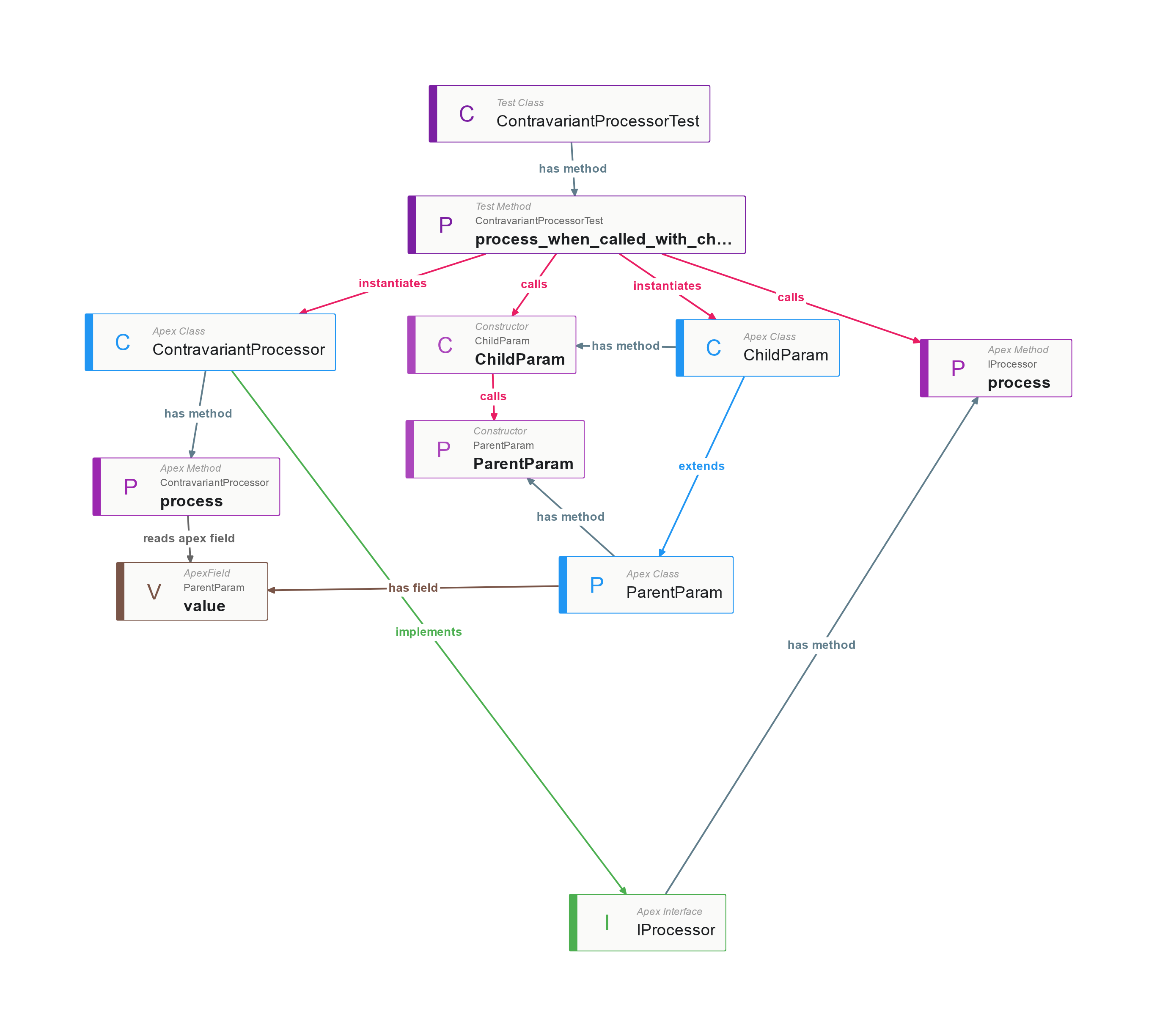
Use the Explorer to verify that your local environment matches expectations before writing Apex tests or integration code.
The Explorer is for browsing these relationships interactively. To ask a question across the whole source tree, such as which methods nothing calls or which fields no report uses, write a program for aer deduce, which evaluates rules over the same kinds of relationships.
Query runner and deduce
/dev/query (also Setup → Query Editor) runs a SOQL query and shows the
records in a grid whose columns follow the SELECT clause: a parent field as
Owner.Name, a subquery as a nested grid, and an aggregate under its function
text or alias. A large result shows its first 2,000 records with a Load more
button. Check Use Tooling API to run the query through /tooling/query.
The query is kept in the page address, so it can be bookmarked.
/dev/data lists every object that holds records, with its count, each
linked to a query over its records.
/dev/deduce runs aer deduce Mangle (Datalog)
programs against the server’s loaded code and metadata, including metadata
deployed since the server started. The example programs from
aer deduce --help-examples can be loaded and run from the page.
Event Viewer
The Event Viewer at http://127.0.0.1:8080/dev/events displays platform events and deliveries during the session. Use it to verify that your code publishes events correctly and that subscribers receive them before deploying to an org.
Publishing events
Events can be published through:
- Apex (
EventBus.publish()) - REST API
- Pub/Sub API (gRPC)
Subscribing to events
Subscriptions are supported through:
- Pub/Sub API (gRPC)
- CometD Streaming API
- Apex triggers
- LWC Emp API
Integration testing with events
- Start the server and open the Event Viewer in your browser.
- Publish events via Apex, REST, or Pub/Sub API.
- Watch events and deliveries appear in real time.
# Start the server
aer server force-app/main/default &

# Authenticate
sf org login web -r http://127.0.0.1:8080 -a aer

# Publish a platform event
sf data create record -s OrderStatusChange__e -v "Status__c='Completed'" -o aer

# Verify the event was published and delivered via the Event Viewer